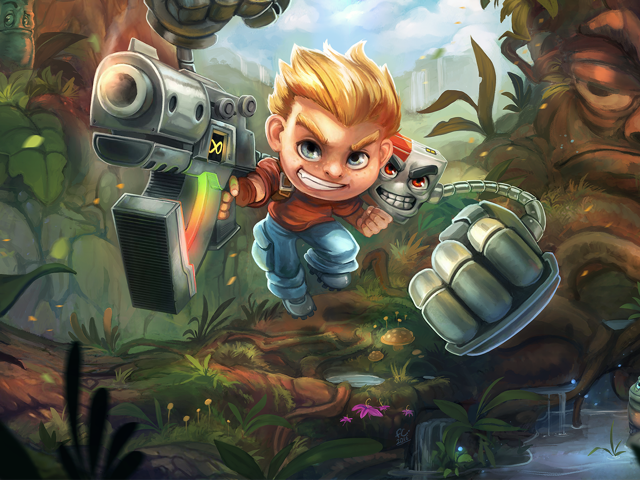
Rad Rodgers - The return of the 90's era Apogee platformer!
Created by Interceptor Entertainment
Bringing back the 90's-era PC platformer with a game inspired by classics like Commander Keen, Conker, Ruff'n'Tumble & Jazz Jackrabbit.
Latest Updates from Our Project:
Rad Rodgers Dev Diary #5 - The Pixelverse Conduit Puzzle
almost 9 years ago
– Fri, May 19, 2017 at 11:43:13 PM
Hi Guys!
Another friday, another Dev Blog! Today I'll talk a bit about our brand new Pixelverse Challenge. We don't have a specific name for it yet, but it's a Puzzle based around Conduits and connecting beams.
So what is it about?
In the design phase of the new pixelverse puzzle, we wanted to focus on a challenge that would require both speed and logical thinking.
The puzzle is based around connected beams through different points in order to connect 2 points. The start and exit.
When entering the new pixelverse puzzle, you'll be presented with a full pixelbar and a timer. Within the time limit the player has to activate a series of conduits in order to nagivate a beam through a small maze. The beam has to connect the START and END point, by going through a series of conduits. Finally the beam has to connect through 2 - 4 main conduits in order to successfully finish the puzzle.
Activating a conduit cost pixels. You'll get a full pixel bar at the start of each puzzle and carefully plan how you want to spend them. Opened to many conduits, or went the wrong way? You might not have enough pixels to reach the end. At the beginning of each puzzle, you're presented with an overview. The goal is to quickly analyze what path is the most efficient and then spend your pixels accordingly.
There are 3 types of conduits in each puzzle.
1. Conduit A conduit is a connection point for each beam. You can activate these to open a path for the beam to travel on.
2. Open Conduit An open conduit is an already activated conduit which a beam runs through.
3. Main Conduit In order to successfully solve the puzzle, you need to hit all main conduits.
Below you'll see a successful run of the conduit puzzle:
In order to successfully finish this demo-puzzle, the player has to activate conduits through a specific route in order to hit all the main conduits:
If you take the wrong route, or end up missing main conduits, the puzzle will fail. Each fail will throw you out of the pixelverse with a half-heart penalty. But don't worry. If you want to start over before failing, you can exit the pixelverse at any time, in order to reset the puzzle.
It's possible to fail the Conduit puzzle in multiple ways. First of all, you can end up in a loop causing the beam to hit itself. You can also end up in a dead end unable to reach the exit. it's also possible to run out of pixels. We always supply the player with enough pixels to solve each puzzle, but if not used carefully you might end up activating more conduits than needed. If you run out of pixels, you're also thrown out of the pixelverse. You can always re-enter to give it another try.
Last but not least, if you reach the end without connecting the beams through all main conduits, you'll also fail.
Below is a small video example of what a Loop fail looks like:
The UI will help you through each puzzle. The big number in the center shows you how many seconds you have left. If you run out of time, you'll get thrown out and have to try again.
The circles around the timer represents the amount of main conduits you have to hit with the beam. They always show in order, so if you manage to miss a main conduit and activate in a wrong order, you'll be able to see it here.
We sincerely hope you'll enjoy this new puzzle type. We'll be replacing a few of the not-so-fun Pixelverse sections in the game, with the new puzzle instead. And don't worry! We'll make sure to give you a good challenge ;)
Before I wrap this up, here are a few videos from this week on Instagram:
And as always, make sure to follow us on our social media channels!
Rad Rodgers Dev Diary #4 - PS4, New Pixelverse Puzzle & Hats!
almost 9 years ago
– Fri, May 12, 2017 at 11:30:03 PM
Another friday, another weekly dev diary! We have a lot of juicy updates for you guys today. There's new progress on the PS4 version, we have a brand new Pixelverse Puzzle and a sneak peek at the new Hat menu!
So let's get started, shall we?
PS4 Update!
The PS4 version is progressing very well atm. The last few months we've been hard at work optimising the game, to achieve acceptable frame rates on consoles. The PS4 runs super well. Currently we pretty much have a locked and stable 30fps. There are still dips here and there, which we are crushing them one by one.
First, here's a short video of the PS4 build installing on the PS4 Pro Test kit:
The game is up and running! Here are a few videos showcasing gameplay and the overworld:
The PS4 version is looking great and every day we see new optimisation, content and tweaks implemented. We can't wait to share it with you guys!
New Pixelverse!
So - As part of the new version of Rad Rodgers we wanted to change up the Pixelverse element of the game. We sent you guys a survey earlier this year, asking for feedback on the Pixelverse. There's a lot we're going to change and tweak, but most importantly, we wanted to add a new type of Puzzle. Something that's a bit more complex than punching an object from A - B.
The new Pixelverse Puzzle is based around an electrical conduit. You need to create a path to the exit, by activating and deactivating nodes. Here's the trick. The electrical conduit will only travel to the nearest node activated. And It will cost you pixels for every try.
Below is a small mockup of the design:
New Pixelverse Puzzle Mockup (NOT what it will look like)
Once the new Pixelverse is fully implemented, we'll share some more details and videos of how it's working. We sincerely hope you'll enjoy it!
Hats!
Last but not least, we have a small update on the new Hats feature. So, it actually started with us having a bit of fun popping different things on top of Rads head. That quickly turned into an idea: Create a Hats system! You unlock Hats during the game (cosmetic change only), which you can apply to Rad.
First, we had to come up with a range of cool hats. Below you'll find the final concepts for the Hats available in the game:
Rad Rodgers Dev Diary #3 - Music, Xbox One, Squiddy!
almost 9 years ago
– Sat, May 06, 2017 at 12:12:30 AM
Third Dev. Diary - And what a week! Music, Xbox One, New Level Concepts, Squid guy, etc.
So what are we waiting for? Let's get started!
Squiddy!
So, another new enemy! Give a warm welcome to Squiddy! (To be renamed!). Squiddy is a new enemy type in Rad Rodgers. A roaming squid-type jellyfish with razor sharp spike projectiles.
Squiddy!
The enemy works by roaming left and right. If the player approaches it, Squiddy will smash into the ground and deadly spikes will appear from it. Squiddy is invulnerable from basic attacks, but it is possible to kill it by first destroying its shell (with either the Dusty Slam or using explosives) and then destroying its core.
The Low-Poly of Squiddy
Extending the Soundtrack
We're also adding brand new music to the game. Below, our in-house composer Andrew will give you guys a run-down of the thoughts put into the new tracks. As well as a few previews!
It was super great to jump back in the musical saddle for Rad Rodgers for these new levels. I hope everyone enjoys these new themes.
For the first one, I gave it kind of a mixture of old school donkey kong country with a new feel to the atmosphere, very chill but also mysterious.
The second one is a bit closer to an 80's B movie. All the rolling synth bass goodness wrapped with some cool little leads. All post-processed with some special vst's to give it that "warped cassette tape" feel.
Hope you guys and gals enjoy it. It's a pleasure to work with Slipgate and THQ on Rad and hopefully, there will be much more to come in the future!
Xbox One Update
While the PS4 version has been up and running for a while, we just recently started working on an Xbox One version of the game.
While the Xbox One Dev. Kit is very easy to work with, the console generally underperforms compared to the PS4. This requires a lot of optimizations in order to get the game to run at acceptable frame-rates while also looking fantastic.
This week, we finally managed to get a very smooth and stable experience on the Xbox One. This is a very important milestone, as we're not entering a polish phase. We're going through every single scene, in every level with the goal of optimizing the game heavily.
Studio Livestreams!
We've also started Live streaming from the studio. We're calling it the Slipgate Dev. Cam! Each week you'll be able to follow the daily work of a developer through a direct live stream from his monitor. Keep an eye on the Slipgate Twitch Channel!
Rad Rodgers Dev Diary #2 - Turrets, Boomerang Guy, Level Design and Optimization
almost 9 years ago
– Fri, Apr 28, 2017 at 03:55:40 PM
Welcome to the second Dev Diary on the new version of Rad Rodgers. I hope you had a great week following us on social media - If not, there's a quick wrapup at the end of this post.
Are you ready for the juicy details? Let's Go!
The Level Design Process
Our brand new levels are finally blocked out. This means that they are ready for a concept pass.
Each of our levels goes through a range of phases until they are finally done. We use SCRUM through the tool called JIRA to manage our tasks. Below is an example of how many phases a level goes through before it's finally done (Playtesting is separate)
All the sub-tasks included in a single level
Documentation is pretty self-explanatory. This is the phase where the ideas are documented. The level is sketched out on paper, and every scripted event and puzzle is designed.
We have some basic rules we follow in terms of blocking out levels, scripting and set dressing.
Always
Start the levels with the player facing right.
All gameplay-related elements which usually also have collision should be located at zero on the Y axis. Not doing this can cause the Player to not interact properly with game elements.
Ask the artists if you need a variation of an existing asset.
Have clearly defined paths through the levels.
All Matinee-affected actors should be attached to their respective Matinee-actors. If not, these actors cannot be moved, as Matinee keyframes are relative to the actor's parent and will only be affected by moving the parent actor. If no parent, the world is used as parent, which cannot be moved.
All platforms which should be penetrable from underneath, should have the “Platform” collision preset set.
Have simple or flat collision where the player walks.
Never
Have several assets with transparency overlap each other.
Obstruct the view of the player completely with foreground assets.
Have more than 4 physics assets right next to each other.
Have more than 2 lens-flare actors on screen at once.
Have more than 2 overlapping movable lights at once.
Have the player find the solution to a problem before encountering the problem.
After documentation, the level designer starts blocking out the level. The block out includes all the basic geometry of the level. The block out also serves as the collision base for the level. This means that what visually defines the level, won't have any collision.
After blocking out the level, both Concepting and Scripting starts. The level designer will start with the Scripting phase, which includes setting up puzzles, placing AI controlled enemies, Items, Weapons etc.
Meanwhile a concept artist will start on the concepting for the level. This is basically a paint over of the blockout, which will later be used for the set dressing/world building phase. Before concepting the block out, the concept artist has already created mood concepts showing what atmosphere we want in the level.
The Mood we're aiming for in the new Ruins level
After Scripting and Concepting, the level designer starts with the set dressing/world building process. While building the world around the block out, we use specific assets for specific layers.
For a detailed walkthrough of how the levels are being set dressed, check out this Behind the Art video:
Optimization - Mesh Instancing
When putting together environments for Rad Rodgers (Often called "Set dressing" or "World Building"), the designers will use a variety of assets to create new shapes and details. The assets themselves are high enough in visual fidelity to look great while having a low enough triangle count to not impact performance too much.
The main performance hog usually relates to the amounts of assets used on the screen. The more assets used, the bigger the draw call.
"But Fred! I have no clue what a draw call is" -
Fear not. Here's a short definition:
"To draw a GameObject on the screen, the engine has to issue a draw call to the graphics API (such as OpenGL or Direct3D). Draw calls are often resource-intensive, with the graphics API doing significant work for every draw call, causing performance overhead on the CPU side."
With that out of the way, we've been looking into ways of limiting draw calls. On PC we're not hitting huge performance drops (Our draw calls are usually within 700 - 1200 range), while the Xbox One is struggling a bit.
So! Our adorable programming wizard Greg, decided to make a tool for us, that limits drawcalls.
Gregs smile is half the reason his programming skillz are so LIT!
So let me explain how this works: First of all, we're going through a list of Static Meshes used in a Level. In this case, we're looking at the first level in the game. We want to look for assets that are used extensively throughout the level. Like this one!
This asset has been used a few times throughout the level
Next up, we're going to locate these assets in the level. The important part is that these assets need to be relatively close to each other. If not, we'll risk that once one of the assets are visible in-game, all of them will be loaded.
Here they are!
Above you'll see the group of assets in question. As you can see, a group of assets has been used to create this wall piece. In order to limit the draw calls, we're going to use Gregs new tool to create instances of a single mesh, instead of using a group of individual meshes.
The meshes we want to "Merge" into instances
Next, we'll select the meshes and hide everything around them to get a good view of where they are located in relation to each other.
Now, let's use the tool:
This will create instances of the mesh
This button will take the currently selected meshes and use the first mesh as a base. The rest of the selected meshes will now merge with the first mesh, acting like a single actor, with the rest of the meshes being instanced. This means that the material of the first mesh will be used on the rest. They will also all share the same lightmap.
We made sure to include some failsafe's in the tool. For instance, meshes with different materials cannot be merged and you can at any time, unmerge meshes again. Each instanced mesh will also keep it's own unique material ID, as well as UV's.
Here's the result - Less draw calls!
Beautiful!
The turret is wrapped up!
Last week we showed you guys a few concepts, one including a new Turret style enemy.
Turret Guy!
This little (Big) guy is finally wrapped up and in-game. Check him out!
Pew Pew!
Pogo Vertigo Sneak Peek
The Pogo Stick levels are also seeing some great progress. Here's a small sneak peek!
Boomerang Guy Progress
The Boomerang Guy is also moving along nicely. Below are a few images of the final concept, and how the model is progressing:
Boomerang Guy (Don't worry! That won't be his final name)
Different movement patterns
Boomerang High Poly
High Poly Progress on the big guy himself
This week on Instagram!
As always, you can follow development daily on Instagram.
In case you missed all the juicy videos, here's a short wrap up!
Turret Animation Planning
Team mugs is a necessity when you're addicted to coffee ☕️
Light builds!
We're super proud of the stable review score Rad Rodgers retains on Steam. Currently at 91%!
After every finished Rad Rodgers Blueprint, Jacob brings cake! �
Working with LAZORZ!
New Rad Rodgers Enemy in the making!
Last week we also attended the Danish Game Awards where Rad Rodgers was nominated in 2 categories - Best Visual Design and Best Techincal Achievement. Unfortunately Inside and Hitman won. Well deserved!
Rad Rodgers Dev Diary - Here's the plan!
almost 9 years ago
– Fri, Apr 21, 2017 at 09:33:59 PM
Hi Guys!
We're finally back up and running, full speed ahead. In this new Dev Diary series, we'll cover the weekly progress on the game, every friday.
At Slipgate we just moved into our new office space last tuesday, and have spent the last few days getting settled,
You might wonder what we'll be working on and what the brand new Rad Rodgers will include. Fear not!
It's time to spill the beans!
The new "Ultimate" version of Rad Rodgers (Which all backers who received the game as part of their reward, will get for FREE), is a brand new version of Rad Rodgers, with tons of new content.
Our goal was to create a bigger and better experience, with every piece of feedback from the fans analyzed and incorporated into the overall plan.
The new version of Rad Rodgers will be replacing the existing version on Steam and GOG. It will also get a full physical release from THQ, for PC, Xbox One and PS4.
So what will we get?
We have some pretty cool ideas, but most importantly, we want you guys to provide valueable feedback during the development. So what have we planned so far?
5 brand new levels, 3 of them focusing on a brand new utility;
The Pogo Stick! We're adding the Pogo Stick to Pogo specific levels called Pogo Vertigo
We're adding a brand new weapon; The EXCALIBAT from Rise of the Triad will be part of the new Rad Rodgers arsenal.
Leaderboards! Each level now has a score, and a Leaderboard, where you can compete with your friends.
Hats! We're introducing unlockable hats in the game. You can unlock more than 20 different hats which you can apply to Rad Rodgers.
Bonus Features; Unlock concept art, behind the scenes photos, etc. as you play through the game
Brand new enemies! We're creating a range of new enemies, including minibosses!
New and improved pixelverse. We're drastically improving the pixelverse segments, and are introducing new interesting puzzles
Pogo Action!
A few of the over 20 hats we're adding to the game
Excalibat!
New Enemy Ideas!
Miniboss Concept Ideas!
Alongside all the new content, we're also adding a ton of optimizations to the game to give all of you a better and smoother experience.
Can I participate?
Yes! We recently created a brand new Discord Server, where we invite all of you to join. On our Discord, you'll be able to join us and fans of the game for an ongoing discussion about Rad Rodgers. We'll also invite you guys to closed betas, playtesting sessions etc.
Every day you can follow development LIVE, through Facebook, Twitter, Instagram and Snapchat. If you want to get sneak peeks at development insights, check out our daily stories on Instagram. You can add us by searching for: slipgategames
Follow us on Instagram for daily Live stories!
Last but not least, here's a few photos from this week at the studio:
Level Designer Johnny is working on the sketches for the new Ruins level
Level Designer Daniel is working on one of the new Pogo Vertigo Levels
Level Designer Jacob is working on a brand new River and Forest themed Level
Lead Programmer Greg is hard at work on the Xbox One version
Cozy!
But wait a minute! PS4!!!! Where is it??
It's coming! We know we know... Back in October last year we showed you guys Rad Rodgers running on the PS4, and we originally promised to have to ready by february. That was still the case, until we got the opportunity to drastically improve the game and add more content. It was a difficult choice, but ultimately the choice that benefits you guys the most. So yes - We had to extend the release of the PS4 (And Xbox One versions) of the game, as it's very unlikely we'll be able to release 2 versions of a game on one platform.
We don't know when exactly the game will be released yet - It all depends on THQ's release schedule and what window the game will fit in. But we're working out butts off to make sure that the game will be at its very best when it's released - Hopefully, very soon!
Thanks for sticking on for so long - See you guys on Discord!